Being in the suppliers tab in the RFx / auction, the system allows adding suppliers from the supplier database (button add from the supplier database) or from outside the database (the button add supplier from outside the base)

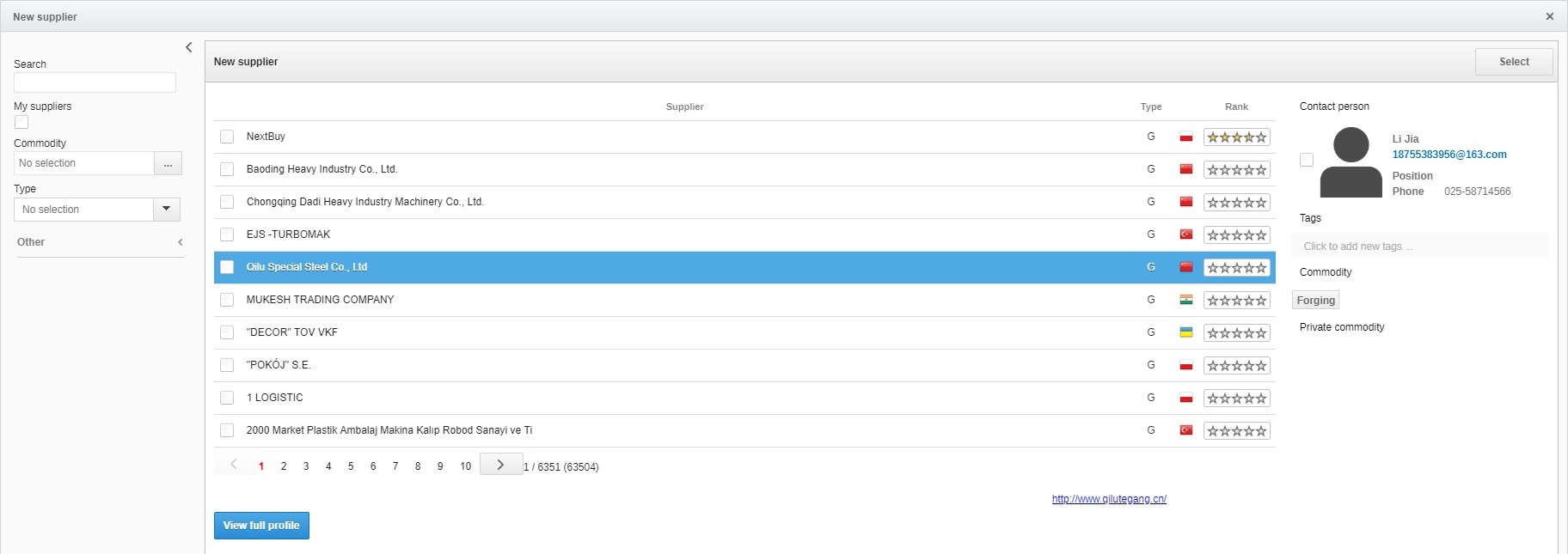
Add from the supplier database - allows you to add suppliers from the global platform base and also from the company's private database. In order to find the right suppliers, search for them using the following criteria:
• Company name, email address of the contact person, name and surname of the contact person, tags
• Shopping categories in which suppliers operate
• Type of supplier: service provider, producer or distributor
• Country, state, city
• The number of employees in a given company
• Company type: private or global
• Companies with certificates or references
• Company's turnover
Clicking on a given provider will display the information on the contact person of the company and offered purchase categories on the right. The full profile view button allows you to view the full provider profile. After selecting the appropriate companies, select them in the field on the left side of the table and then click select.
Clicking on a given provider will display the information on the contact person of the company and offered purchase categories on the right. The full profile view button allows you to view the full provider profile. After selecting the appropriate companies, select them in the field on the left side of the table and then click select.
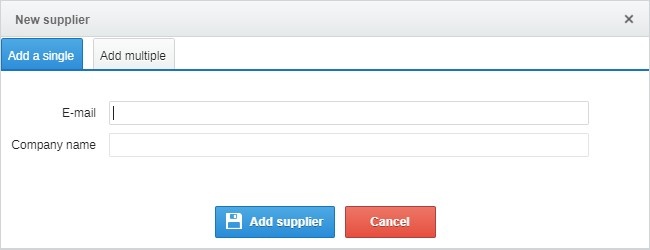
Add from outside the supplier database - after entering the e-mail address and company name will be sent to the invitation provider. If you want to add multiple e-mail addresses, click add multiple and then paste the e-mail addresses. When adding multiple e-mail addresses, we do not use the character (;), just use the space bar.
Also check: