To supplement the supplier's rating, the user must be specified as the person evaluating one or more criteria in the assessment campaign.
To run the supplier's assessment, click the suppliers tab and then go to the My evaluations tab. In this view, you will see a list of campaigns in which the user is specified as an assessor.

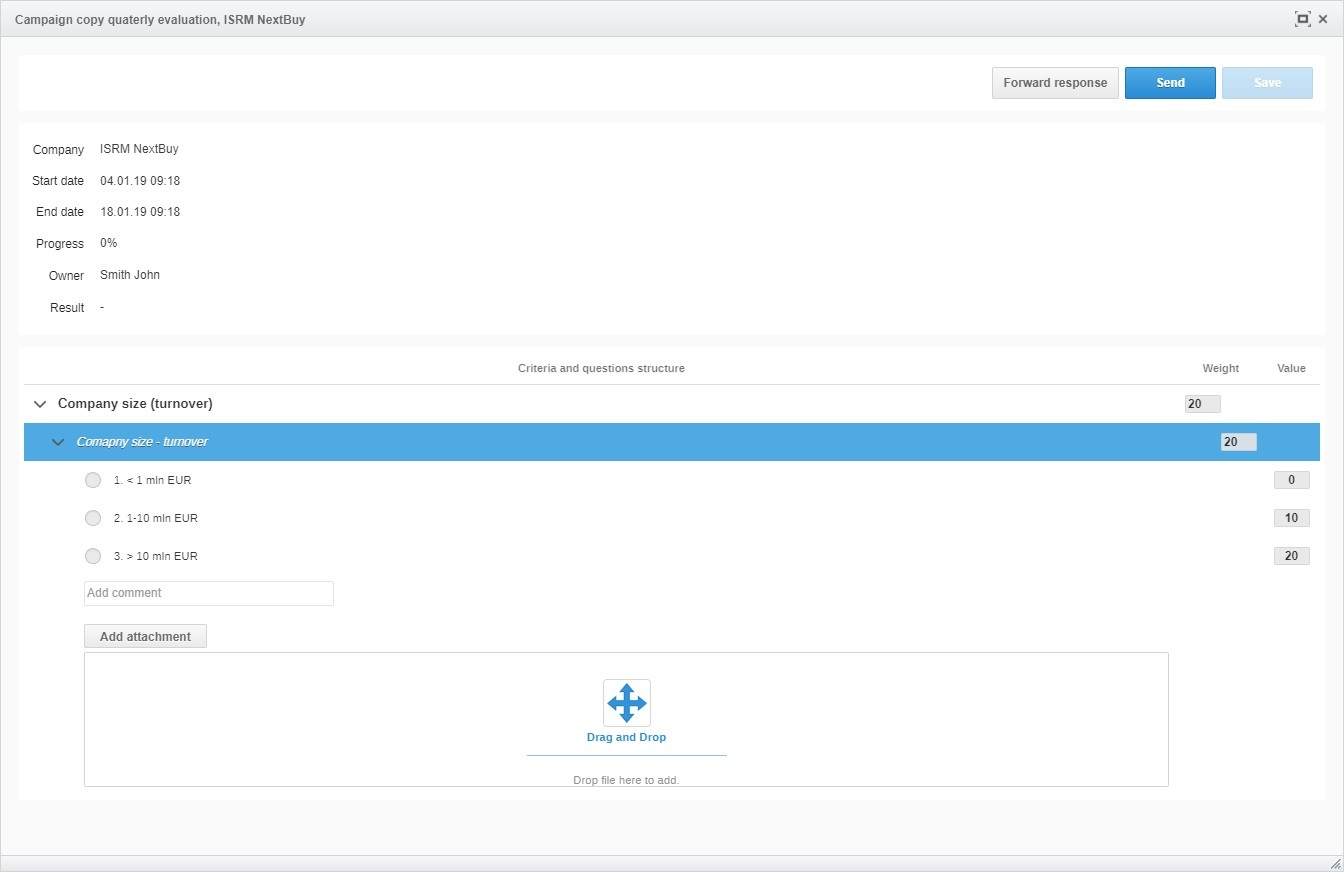
After clicking on the company name, a window will appear in which the user makes the assessment.
The user has three buttons to choose from:
Forward response- Allows transfer of the right to be evaluated by another user
Send - Allows you to send your own rating
Save - Allows you to save your temporary review and return to it later
Also check: