After accepting the order, it will receive the approved status. Sending orders to suppliers is possible after clicking the send to supplier button.

In the new window the system will display the content of the e-mail message with the possibility of its editing and will allow to indicate the person to whom the order is to be sent. You can indicate a person from the list (employees of a given Supplier are on the list) or enter an e-mail address in the to message field.
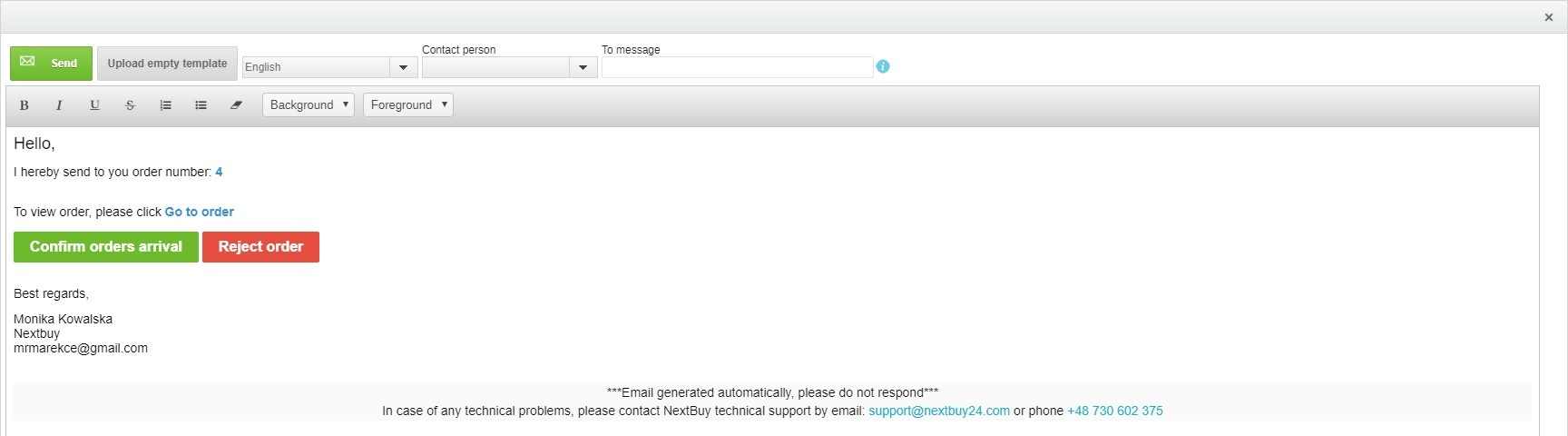
After clicking send, the Supplier receives an e-mail with an attached PDF document of the order and other attachments attached in the order.
Also check: